Start with what you need. Expand without starting over.
Compare clear entry options and configure a plan around your properties, team and chosen workspaces.
AI-POWERED DIGITAL TWIN FOR REAL ESTATE
Your property lives. Everything comes together. In one Digital Twin.
ObraPad Core connects live property data, documents, assets, maintenance and decisions into one digital twin and living Digital Building Passport. A 3D model is optional, not required.
The passport preserves what is demonstrable; the Digital Twin shows what is happening now and what needs attention.
⌂▦◇✓⌁JM
BUILDINGS / VILLA MAR
Villa Mar
⌕•••JM
● Moraira, Spain
LIVING DIGITAL PASSPORT
Building health
94%
✓
Legal & ownership12 documents verified
100%
✓
Plans & materials42 building elements
96%
↻
Installations2 warranties to add
88%
Latest activity
View all
✓
Pool pump repairedWork order #WO-284 · 4 photos
▤
Energy certificate addedDocument · Verified
Passport
● LIVE
94%Updated from connected building data
LIVE TRANSLATION Original
EN
James · ownerEuropean portfolio · Technical room · WO-284
“The repair has been completed. I’ve added the photos and service report.”
Same message. Their language.
✓
Evidence approvedPayment can be released
THE DIGITAL TWIN OF YOUR PROPERTY
Start simply. Grow without a ceiling.
Core Lite stays clear for one home or a small portfolio. Professional adds collaboration; Enterprise activates portfolio, IoT, integrations and governance.
Your personal AI assistant works in writing and voice. It captures information, asks questions, searches permitted context and prepares controlled drafts inside the workspace you are using.
Photo analysis
From photo to evidence-based point of attention.
Copilot compares photos with plans, previous images or control criteria, flags possible deviations and prepares a reviewable draft — never a final technical diagnosis.
Written interactionSpoken interactionPhoto & image
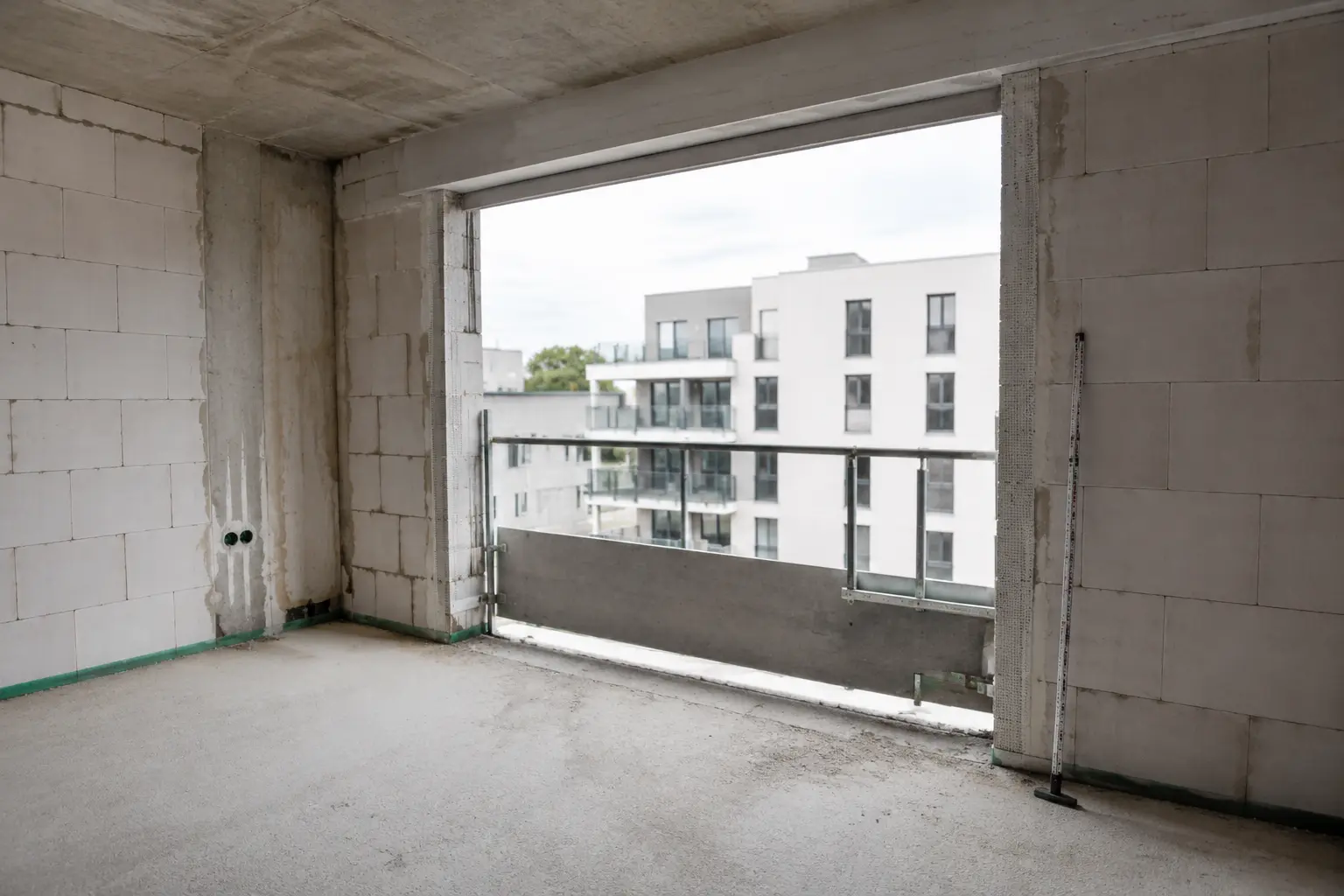
SITE PHOTO · BEDROOM 2Compared with plan A-204 · revision 08
Analyse this site photo. Does the execution differ from plan A-204, and do you see any possible risks?
DRAFT · REVIEW REQUIRED
1Possible dimensional deviationThe window opening appears narrower than in revision 08. On-site measurement is required.
2Safety reviewThe edge protection is not fully visible. Ask the safety coordinator to confirm it.
Sources: photo · plan · control criteria
ONE COPILOT · EVERY WORK CONTEXT
Practical help in every workspace.
Copilot uses the same Core and property DNA, while adapting its questions, structure and proposals to the active workspace.
Construction
Dictate site notes and prepare a reviewable site report.
Photo: compare execution with the plan and revision.
Property
Explore spaces, assets, documents and interventions from the same current property passport.
Photo: compare an asset or space with its existing record.
Maintenance
Describe a fault and prepare a work order with evidence requirements.
Photo: track moisture, corrosion or damage against earlier images.
Rental
Answer questions about contracts, meter readings or check-in in context.
Photo: compare check-in and check-out condition.
Syndic
Follow a meeting and prepare draft minutes, decisions and tasks.
Photo: classify and link an issue in the common areas.
Inspection
Dictate findings, link evidence and flag missing controls.
Photo: structure evidence and compare it with the previous inspection.
Prevention
Guide a walkthrough and structure risks, controls and follow-up.
Photo: flag possible unsafe situations for confirmation.
Safety coordination
Turn coordination into a safety report with owners and deadlines.
Photo: propose edge protection, PPE and work zones as review points.
Investments
Explore yield, planned costs and underlying sources interactively.
Photo: document renovation progress and condition without estimating value.
Documents & AI
Build answers, comparisons and draft actions while keeping the original source visible.
Photo: link visual evidence to the correct plan, document and revision.
Recording, analysis and processing remain controlled.Meeting Copilot starts only with visible consent. Photo analysis provides possible findings, not a final technical diagnosis. Recordings, images, drafts and proposed actions follow access permissions; publication or execution requires human approval.
A BUILDING THAT REMEMBERS
Your passport preserves the evidence. The Twin brings it to life.
The passport is the transferable identity and history of your property. The Digital Twin connects that trusted foundation with live status, workspaces, sensors and decisions.
03 · Always current
Operate: one connected record
Turn the completed project into a living operational record with installations, warranties, energy, inspections and preventive maintenance always current.
Assets & warrantiesEnergy & live readingsMaintenance & inspections
WO-284 · European portfolio · Technical roomEuropean Union
ENJames · owner
The repair has been completed. I’ve added the photos and service report.
⌁ Translated instantly in the shared record
NLSophie · vastgoedbeheerder
De herstelling is voltooid. Ik heb de foto’s en het werkverslag toegevoegd.
DEEP LOCAL LAUNCH LAYEREuropean Union
Local examples, terminology and country workflows are prepared as part of the first deep rollout.
OWN IN ONE COUNTRY, MANAGE IN ANOTHER
Your property can be abroad. Your working language stays yours.
Owners, tenants, managers and contractors each work in their preferred language. ObraPad keeps the same issue, task, evidence and decision attached to the correct building, unit or asset.
✓ Original message always available
✓ Building terminology stays consistent
✓ Tasks and notifications translate with context
OWNERBritish owner
PROPERTYProperty in Spain
LOCAL PARTICIPANTSSpanish guests, staff & suppliers
The complete property record stays accessible in English without forcing the Spanish team to change language.
ONE CORE · EVERY WORKSPACE
Every workspace has its own purpose. The property DNA stays connected.
Activate only what you need. Every workspace shares the same spaces, assets, documents, people and history — without copies or disconnected records.
THE SECURE FOUNDATION · ALWAYS INCLUDED
ObraPad Core
The shared foundation under every workspace. Set up your organisation and properties once; every module you activate later uses the same trusted structure.
Core is not an extra workspace.It is always included. Add Property when you need the complete living passport with rooms, assets, warranties, meters, QR, interventions and transferable history.
Start small. Keep the same data. Add more whenever you are ready.Every new workspace immediately connects to the building, users, documents and history you already created.
One secure Core. Nine workspaces. One Digital Twin.
Core preserves the shared identity and context. Every workspace adds its own expertise, actions and evidence without creating another record.
ObraPad CORE · ALWAYS INCLUDED
The shared digital DNA of your property.
Core is the shared foundation under every configuration: your organisation, properties, spaces, assets, people, permissions, documents, contacts, tasks, notifications and complete history. Every specialised workspace adds its own workflows and evidence to exactly the same current property passport.
The Prevention & Safety workspace is being prepared and is not yet available in the platform.
Planned · not yet available
—
Safety coordination
Safety file, stakeholders, actions and evidence
↗
Portfolio INVEST
Assets, returns, value & real-time KPIs
↗
Documents & AI AI
Source-linked answers, comparisons and controlled drafts
↗
SELECTED WORKSPACE
Property
A building dossier that never stops growing.
Installations, warranties, QR codes, maintenance and interventions remain available long after construction ends.
Building identity, ownership, addresses and legal recordsFloors, rooms, zones and a complete installation registerPlans, finishes, materials, manuals, certificates and warranties
Passport readiness94% complete
FOUR REALISTIC EXAMPLES
Choose a property context you recognise.
The same logic works for a villa, an owners’ association, a commercial property and an industrial site.
Moraira · ES
Villa Mar
Villa Mar uses one central property record for current tasks, documents, costs and responsibilities.
No copies and no disconnected apps: every workspace reads and enriches the same central property data, under the correct permissions and with human approval where required.
AI PHOTO CONTROL
From uploaded photo to verified task evidence.
ObraPad can analyse task photos before they reach the approver. It checks whether the requested subject is visible, required before-and-after images are present and the evidence appears consistent with the assigned work.
Click each step to see what the contractor, AI and approver see.
AI supports the review; it does not replace a technical inspection, certified acceptance or the authorised approver.
FROM FINDING TO VERIFIED CLOSURE
One issue. One accountable chain. Nothing lost between messages.
A finding can become a task, reach the right person in their own language, return with proof and close only after approval. Every step remains attached to the building, unit, room or asset.
Click the chain to follow the complete workflow.
Finding
Issue captured at the source
A leaking connection is recorded with location, severity, photos and the original report.
Villa Mar · Technical room · Pool pump
HOW BUILDINGS PAYS BACK
Stop searching for information that should already be attached to the asset.
Every room, installation, warranty, supplier and intervention lives in one transferable record, reducing search time and preserving the building’s operational value.
One source instead of scattered foldersFaster access through rooms, assets and QRComplete dossier at sale or transfer
EXTEND YOUR PLATFORM
Powerful add-ons. The same connected data.
Add capabilities without adding another disconnected tool.
Documents & AI×Live translation+Finance & bank reconciliation+Cameras+QR asset access+Advanced analytics+
OPTIONAL CAPABILITY · CONNECTED BY DESIGN
Documents & AI
Ask your building and verify every answer.
Works with: All workspaces
Source-linked answers Offer and clause comparison Document summaries Permission-aware search
VALUE THAT GROWS WITH EVERY BUILDING
The monthly cost should be the easiest line to earn back.
ObraPad does not save money through one spectacular feature. It saves it every day: fewer repeated actions, fewer forgotten issues, earlier maintenance, clearer budgets and one reliable record that stays with the asset.
THE ObraPad VALUE PRINCIPLESave one avoidable repair, recover a few administrative hours or prevent one missed follow-up — and the subscription can already repay itself.
The effect compounds when the same team manages several buildings, units, projects or suppliers.
Registration, documents, communication, planning and reporting remain connected instead of being repeated across separate tools.
FOLLOW-UP
Nothing disappears in WhatsApp
Every issue belongs to the correct building, unit, room or asset—with an owner, deadline, status and evidence.
PREVENTION
Act before costs escalate
Recurring maintenance, warranty dates and early findings reduce the risk of emergency work and consequential damage.
CONTROL
Know where the money goes
Budgets, invoices, taxes, rental income, costs and returns can be followed from portfolio level back to the source record.
ASSET VALUE
Transfer the complete story
A living digital passport preserves plans, installations, interventions and proof, ready to transfer with the property or portfolio.
ONE BUILDING RECORDLESS SEARCHING & REWORKEARLIER ACTIONMORE CONTROL, LOWER AVOIDABLE COST
INTERACTIVE SAVINGS CALCULATOR
Can ObraPad pay for itself in your situation?
Adjust the four assumptions. We only calculate the potential value of less searching, duplicate administration and fragmented follow-up — preventive maintenance, avoided mistakes and better budget control are not yet included.
What are you managing?
Conservative assumption: 35% less follow-up and search timeEvery input remains visible and adjustable. This is an indication, not a guaranteed saving.
ESTIMATED MONTHLY TIME VALUE€571.3 hours potentially recovered
Indicative matching planObraPad Pro 10 S€99
Coverage from time savings0.6×
Difference before other savings−€42
On top of this come potential savings from earlier maintenance, fewer missed issues, better photo and task control, clearer budgets and a fully transferable building passport.
FOR BUILDING INVESTORS & ASSET OWNERS
Every asset. Every return. Always current.
See the full performance and condition of your property portfolio in one place. Live income, occupancy, costs, planning and maintenance are connected directly to each building.
Real-time performanceActual yield, cashflow and occupancy
Complete asset overviewFrom one villa to an international portfolio
Know what comes nextMaintenance, contracts and planned investments
MY PORTFOLIO
All properties
Filters
Portfolio value€8.42M↗ 4.2% YoY
Net yield7.1%↗ 0.4% vs plan
Occupancy92%6 active leases
8 assets
LIVE
Villa MarMoraira · Rental
€1.72M8.4% yield
Teulada ResidencesTeulada · Development
€3.10M6.9% yield
Brussels OfficeBrussels · Commercial
€2.40M5.8% yield
NET CASHFLOW · 12 MONTHS€386,240
● Actual ○ Plan
SEPDECMARJUNAUG
4 maintenance actions€7,850 planned this quarter
2 lease renewalsNext: Villa Mar · 18 Sep
All figures updated in real time
BUILT FOR INTERNATIONAL REAL ESTATE
Available in seven European countries.
ObraPad currently supports controlled onboarding and operational property workflows in seven European countries. Additional markets follow after language, local workflow, billing and regulatory validation.
AVAILABLE COUNTRIESBelgium · Spain · Portugal · France · Italy · the Netherlands · GermanyMultilingual building, construction, rental, maintenance and portfolio workflows.
7 European countriesAvailable now
More of EuropeFurther countries are activated after local validation.
InternationalMarket by market
01
AVAILABLE COUNTRIES
Belgium · Spain · Portugal · France · Italy · the Netherlands · Germany
Multilingual building, construction, rental, maintenance and portfolio workflows.
02
NEXT PHASE
More of Europe
Further countries are activated after local validation.
03
LATER
International
New regions follow only after language, market and integration validation.
Availability of specific fiscal, legal and regulatory automations may vary by country and workspace. ObraPad clearly identifies the applicable source and coverage.
PRICING CONFIGURATOR
Configure the right starting point.
Select your property count, workspace groups and billing cycle. ObraPad automatically calculates the lowest matching plan.
SIMPLE TO START, BUILT TO GROW
Start simply. Grow into a complete Digital Twin.
Core Lite stays clear for a private home or small portfolio. Professional adds teams and workspaces; Enterprise brings portfolios, IoT, integrations, returns and governance together.
Geen ingewikkelde pakketten vergelijken. Beantwoord enkele vragen en de configurator kiest automatisch de laagste passende capaciteit en workspacecombinatie.
Your online advisor Online · AI-assisted digital employee
YOUR CONFIGURATIONVastgoedentiteiten · workspaces · add-ons
Stel uw ObraPad samen. Core, intelligente begeleiding, tutorials en supportagents zijn altijd inbegrepen.
01
What are you working with?This helps us include the right project and building tools.
02
Properties or projectsBoven 50: Enterprise
1
03
Internal usersYour own team
2
04
Welke workspacegroepen heeft u nodig?Elke groep bevat meerdere modules. Base = Core, S = 1 groep, M = 2 groepen, L = 3 groepen en XL = alle 4 groepen.
€49/maand voor het abonnement, jaarlijks gefactureerd. Maandelijkse betaling: €59/maand. Add-ons zijn afzonderlijk vermeld.
Instant estimate based on your answers. The advisor proposes the lowest suitable setup first; final pricing and applicable taxes are confirmed before purchase.
STANDAARD IN ELK PAKKET
Digital Guided Onboarding
De klant configureert ObraPad via interactieve stappen, tutorials, sjablonen en intelligente supportagents. Menselijke escalatie blijft beschikbaar voor echte technische fouten.
PROFESSIONAL SERVICES
Alleen betalen wanneer mensen echt werk overnemen
Datamigratie, volledige configuratie, maatwerkflows, teamtraining en consultancy worden afzonderlijk aangeboden.
ENTERPRISE
Persoonlijke implementatie
Implementatieplan, vaste contactpersoon, migratie, integraties, training, SLA en prioritaire escalatie op aanvraag.
HOW YOUR SUBSCRIPTION IS BUILT
One foundation. Clear choices on top.
THE SECURE FOUNDATION · ALWAYS INCLUDED
ObraPad Core
The shared foundation for your organisation, properties, users, rights, tasks, documents and history.
Included
CHOOSE WHAT YOU USE
Workspaces
The working environments for Property, Construction, Rental, Maintenance, Inspection, Portfolio and more.
OPTIONAL EXTENSIONS
Add-ons
Extra capabilities such as Documents & AI, QR asset access, cameras, finance connections and advanced analytics.
Core and your selected workspaces share one building record. Add-ons extend that same data; they never create a separate dossier.
OPTIONELE UITBREIDINGEN
Add-ons verlengen dezelfde ObraPad-configuratie.
Workspacegroepen bepalen Base, S, M, L of XL. XL omvat alle 4 groepen en alle onderliggende modules. Add-ons blijven uitsluitend extra capaciteit, werkelijk gebruik of gespecialiseerde diensten.
Realtime basisvertaling
Vertaal berichten, taken, opmerkingen en meldingen terwijl het origineel beschikbaar blijft.
USED WITH
All workspaces
COMMERCIAL STATUS
12 maanden gratis · normaal €9/mnd
AI-bundels
Gecontroleerde AI-capaciteit voor documenten, analyses en assistentie zonder onbeperkt kostenrisico.
USED WITH
All workspaces
COMMERCIAL STATUS
€10 of €30/mnd
Camera Connect
Bekijk beveiligde livebeelden in de context van hun vastgoedentiteit of project.
USED WITH
Project & Construction · Property & Maintenance
COMMERCIAL STATUS
€5,90/camera/mnd
Camera Record
Livebeeld met zeven dagen opnamebewaring.
USED WITH
Project & Construction · Property & Maintenance
COMMERCIAL STATUS
€14,90/camera/mnd
OCR-documenten
Verwerk extra facturen en documenten boven de inbegrepen bundel.
USED WITH
Finance & Budget
COMMERCIAL STATUS
€9 per 100 documenten
Extra opslag
Breid de pakketopslag gecontroleerd uit.
USED WITH
All workspaces
COMMERCIAL STATUS
€5 per 50 GB/mnd
Extra land & lokale regelgeving
Uw hoofdland is inbegrepen. Voeg voor vastgoedentiteiten in een bijkomend land lokale sjablonen, relevante regels en periodieke updates toe. ObraPad ondersteunt uw dossier, maar vervangt geen juridisch of fiscaal advies.
USED WITH
Property · Rental · Finance
COMMERCIAL STATUS
€9/land/mnd bij jaarbetaling · €11 maandelijks
API & automation
Gebruik standaardkoppelingen en automatiseringen. Custom integraties vallen onder Enterprise.
USED WITH
Pro 20 en hoger
COMMERCIAL STATUS
€49/mnd
Enterprise connections
SSO, SCIM, maatwerkintegraties, SLA en complexe governance.
USED WITH
Enterprise
COMMERCIAL STATUS
On request
Structurele capaciteitsgroei leidt tot een pakketupgrade; tijdelijke uitbreidingen en verbruik worden transparant apart getoond.
TRANSPARANTE PRIJSLOGICA
De configurator combineert capaciteit en functionele breedte.
Core is altijd inbegrepen en telt niet als workspace. Enterprise verschijnt pas boven 50 vastgoedentiteiten of bij complexe vereisten.
Jaarprijs wordt als maandequivalent getoond · maandbetaling is 20% hoger.
CapaciteitBase · CoreS · 1 groepM / L / XL · 2 / 3 / alle 4Enterprise
Core Lite · tot 3 vastgoedentiteiten€29€49M €64 · L €74 · XL €79—
Pro 10 · tot 10 vastgoedentiteiten€69€99M €119 · L €139 · XL €159—
Pro 20 · tot 20 vastgoedentiteiten€119€159M €189 · L €209 · XL €229—
Pro 30 · tot 30 vastgoedentiteiten€169€219M €249 · L €279 · XL €299—
Pro 50 · tot 50 vastgoedentiteiten€249€309M €349 · L €389 · XL €419—
>50 of complexe vereisten———Prijs op aanvraag
De bezoeker hoeft deze codes niet vooraf te kennen. De configurator kiest automatisch de correcte naam. Met alle 4 workspacegroepen activeert XL alle onderliggende modules voor totaalbeheer.
FROM TRIAL TO DAILY USE
Start small. Prove the value in 30 days.
No all-or-nothing implementation. Start with a real situation, receive guidance through setup and use, and expand only when ObraPad demonstrably works for your organisation.
STEP 1 OF 4
Choose one real building
We start with your most representative building or project and activate only the workspace that needs to create value today.
OUTCOMEA clear scope without a heavy platform migration
ObraPad Core is ready from day oneProperties, users, documents, permissions and history immediately form the same digital DNA for every next workspace.
Guided setupIn your own languageExisting data stays usefulExpand later without restarting
ObraPad ACADEMY & CUSTOMER SUCCESS
Software you can use. Support you can feel.
Every customer receives guided onboarding, multilingual tutorials and help exactly where it is needed. You are never left to figure out ObraPad alone.
INCLUDED FOR CUSTOMERSLearn at your pace. Ask whenever you need help.
ObraPad does not only preserve information. It preserves context: who had access, which source was used, what AI proposed, who decided and which evidence belongs to the building.
ACCESS
Everyone sees only what they need
Permissions are set per organisation, building and workspace. Internal users, owners and external contractors each receive an appropriate role without access to the rest of the record.
Permissions per organisation, building and workspaceSeparate roles for internal and external participantsAccess can change when responsibilities change
WHAT REMAINS DEMONSTRABLEThe user, role and access context remain visible with every action.
Role-based permissionsOriginal sourcesHuman approvalExport & transfer
Specific hosting, privacy, processing and service-level commitments are documented before purchase in the selected plan and applicable agreements.
AI-GUIDED · IN YOUR LANGUAGE
Prepare your route. Then experience it in ObraPad.
The website guide maps your questions and situation. You can then request a protected test account. Access uses the same ObraPad application, modules, permissions, workflows, validations and integrations as the general platform. Only synthetic data, credentials and blocked external side effects differ. Your route can use Villa Mar, Residentie Parkzicht, Brasserie Noord or Logistiek Centrum Atlas; access is released only after same-code parity is verified.